前言:最近没事儿没工作,计划每天写一篇博客,防止对Unity生疏,也可以记录学习的点点滴滴。
A*寻路在很多面试里都会问到,但实际工作中根本用不着自己写,网上有成熟的插件,不容易错还方便。
思路:我们将地块切成大小均匀的格子,格子分成普通(可通行)、起点、终点、阻挡类型(不可通行)。每次循环时,查找open列表中综合代价最低的为当前格子,查找当前格子的八个方向(也可以查找四个方向)的邻格,计算综合代价并加入到open列表中去,当前格子就加入到close列表里,并从open列表中移除。当open列表内容为空时,或者当前格子已经为结束点时,结束循环。F代表综合代价,也就是起始距离 + 结束距离 = 综合距离;H代表结束距离(忽视阻挡);G代表起始距离
示例:
第一步,先实现Cell对象

using System.Collections;
using System.Collections.Generic;
using UnityEngine;
using System;

public class Cell : MonoBehaviour, IComparable
{
    private CellType m_type;
    public CellType myType
    {
        get => m_type;
        set
        {
            m_type = value;
            switch (m_type)
            {
                case CellType.Normal:
                    SetColor(Color.white);
                    break;
                case CellType.Start:
                    SetColor(Color.green);
                    break;
                case CellType.End:
                    SetColor(Color.red);
                    break;
                case CellType.Block:
                    SetColor(Color.black);
                    break;
            }
        }
    }
    public Vector2Int pos;//坐标
    public int F, G, H;//综合代价、起始代价、结束代价
    public Cell parent;//父物体,为方便查找上一个节点,类似链表
    private MeshRenderer render;

    private void Awake()
    {
        render = GetComponent<MeshRenderer>();
    }


    public void SetColor(Color color)
    {
        render.material.color = color;
    }

    /// <summary>
    /// 两个cell对象排序,需要实现icompareable接口,指定它俩对比,是指对比F
    /// </summary>
    /// <param name="obj"></param>
    /// <returns></returns>
    public int CompareTo(object obj)
    {
        Cell cell = (Cell)obj;
        if (cell.F > F)
        {
            return -1;
        }
        else if (cell.F == F)
        {
            return 0;
        }
        else
        {
            return 1;
        }
    }
}
第二步,实现查找具体方法
using System.Collections;
using System.Collections.Generic;
using UnityEngine;

/// <summary>
/// 这就是格子类型
/// </summary>
public enum CellType
{
    Normal = 1,
    Start = 2,
    End = 3,
    Block = 4
}
public class AStar : MonoBehaviour
{
    /// <summary>
    /// 这是生成地图数据
    /// </summary>
    public int[,] map =
    {
        {2, 1, 4, 1, 1 },
        {1, 1, 4, 1, 1 },
        {1, 1, 4, 1, 1 },
        {1, 1, 4, 1, 1 },
        {1, 1, 1, 1, 3 }
    };
    /// <summary>
    /// 预制体
    /// </summary>
    public GameObject prefab;

    /// <summary>
    /// 所有格子对象
    /// </summary>
    private Cell[,] cells;

    /// <summary>
    /// 开始点坐标和结束点坐标
    /// </summary>
    private Vector2Int startPos, endPos;

    /// <summary>
    /// open列表和close列表
    /// </summary>
    private List<Cell> openList, closeList;
    /// <summary>
    /// 存储路径的栈
    /// </summary>
    private Stack<Cell> path;


    private void Start()
    {
        cells = new Cell[map.GetLength(0), map.GetLength(1)];
        openList = new List<Cell>();
        closeList = new List<Cell>();
        path = new Stack<Cell>();

        //生成地图
        Vector3 pos = Vector3.zero;
        for (int i = 0; i < map.GetLength(0); i++)
        {
            for (int j = 0; j < map.GetLength(1); j++)
            {
                pos.Set(i * 1.5f, 0, j * 1.5f);
                GameObject obj = GameObject.Instantiate<GameObject>(prefab);
                obj.transform.parent = transform;
                obj.transform.position = pos;
                Cell cell = obj.AddComponent<Cell>();
                CellType temp = (CellType)map[i, j];
                if (temp == CellType.Start)
                {
                    startPos.Set(i, j);
                }
                else if (temp == CellType.End)
                {
                    endPos.Set(i, j);
                }
                cell.myType = temp;
                cell.pos.Set(i, j);
                cells[i, j] = cell;
            }
        }
    }

    private void Update()
    {
        if (Input.GetMouseButton(0))
        {
            Find();
            StartCoroutine(Draw());
        }
    }

    private void Find()
    {
        openList.Add(cells[startPos.x, startPos.y]);
        Cell currentCell = openList[0];
        while (openList.Count > 0 && currentCell.myType != CellType.End)
        {
            //通过排序找到综合代价最小的
            openList.Sort();
            currentCell = openList[0];

            //这里已经找到了
            if (currentCell.myType == CellType.End)
            {
                while (currentCell.parent != null)
                {
                    if (currentCell.parent.myType != CellType.Start)
                    {
                        path.Push(currentCell.parent);
                    }
                    currentCell = currentCell.parent;
                }
                return;
            }

            //查找八个邻格
            for (int i = -1; i <= 1; i++)
            {
                for (int j = -1; j <= 1; j++)
                {
                    //增量为0,代表这个坐标指自己,所以直接跳过
                    if (i == 0 && j == 0)
                    {
                        continue;
                    }
                    //如果想只获取四个方向的邻格,就需要排除增量i = 增量j的情况
                    //if (i == j)
                    //{
                    //    continue;
                    //}
                    int x = currentCell.pos.x + i;
                    int y = currentCell.pos.y + j;
                    if (x < 0 || y < 0 || x >= cells.GetLength(0) || y >= cells.GetLength(1) || cells[x,y].myType == CellType.Block || closeList.Contains(cells[x,y]))
                    {
                        //这里判断当前邻格的坐标是否合法?是否为阻塞格子?是否已经存在于close列表中?
                        continue;
                    }
                    //重新计算起始距离,乘10为了方便计算。当前坐标的格子的起始距离 = CurrenCell的起始距离 + 当前坐标的格子与CurrenCell的距离
                    int g = (int)(currentCell.G + Mathf.Sqrt(Mathf.Abs(i) + Mathf.Abs(j))* 10);
                    if (cells[x,y].G == 0 || g < cells[x,y].G)
                    {
                        //若当前坐标的格子并未被查找过,或者当前坐标的格子的起始代价大于新算的起始代价,则更新
                        cells[x, y].G = g;
                        cells[x, y].parent = currentCell;
                    }
                    cells[x, y].H = (Mathf.Abs(x - endPos.x) + Mathf.Abs(y - endPos.y)) * 10;//计算结束距离
                    cells[x, y].F = cells[x, y].G + cells[x, y].H;//综合代价
                    if (!openList.Contains(cells[x,y]))
                    {
                        openList.Add(cells[x, y]);
                    }
                }
            }
            openList.Remove(currentCell);
            closeList.Add(currentCell);
            if (openList.Count == 0)
            {
                //这里是指open列表都已经没有内容了,但是仍未查找到结束点,因此可认为无路可达
                Debug.LogWarning("穷途末路");
            }
        }
    }

    private IEnumerator Draw()
    {
        while (path.Count > 0)
        {
            Cell cell = path.Pop();
            cell.SetColor(Color.blue);
            yield return new WaitForSeconds(0.2f);
        }
    }
}
第三步,测试并查看正确性
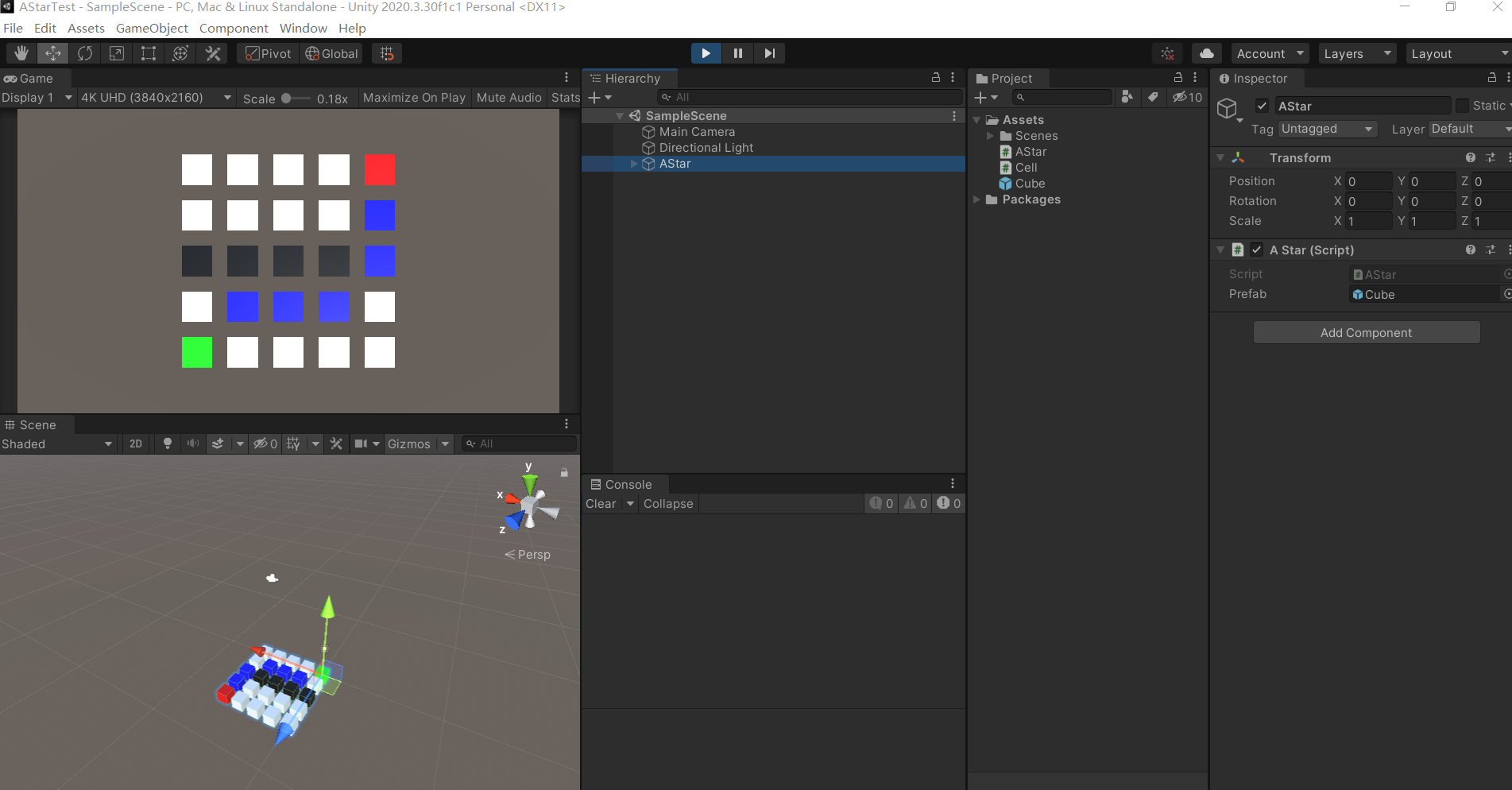
这是八个方向的
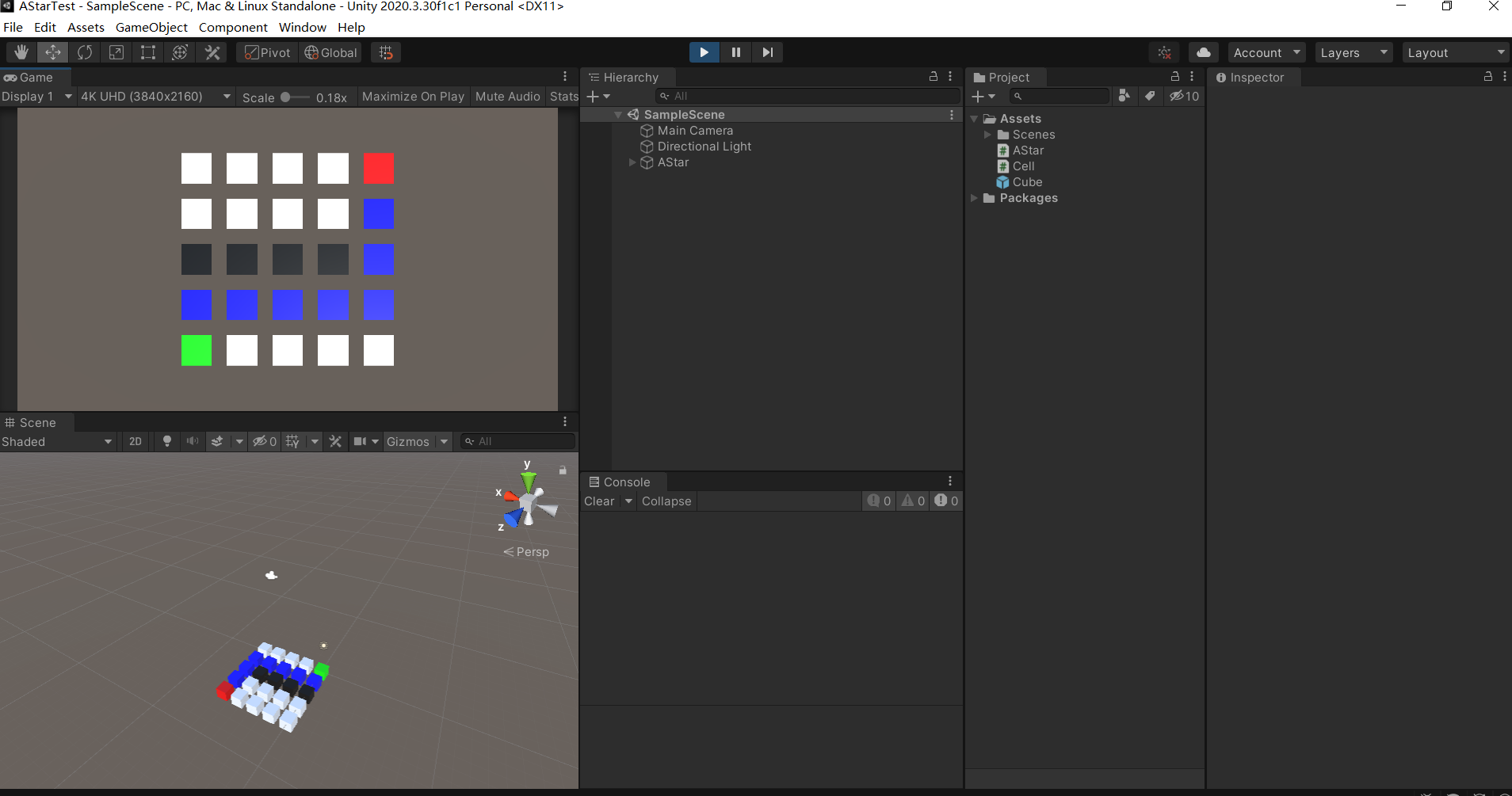
这是四个方向的
总结:
以前同事做推箱子的时候,就用过A*算法,还教过我,不过我当时并没懂,最近又挨着学了一次,发现还是自己动手牢靠,记得比较清晰。当时的我的误区在于,我以为close列表就是路径,其实close列表仅仅代表“这个格子我已经检查过啦,不必再检查了”,真正的路径是通过结束点,一步步获取它的parent直到起始点(起始点的parent为空),这样才是完整路径。还需要注意的是,我们每次循环都会对open列表排序,选择综合代价最小的格子,作为本次循环的“CurrentCell”,所以我们必须为Cell对象实现排序接口,指定排序是通过对比F综合代价。