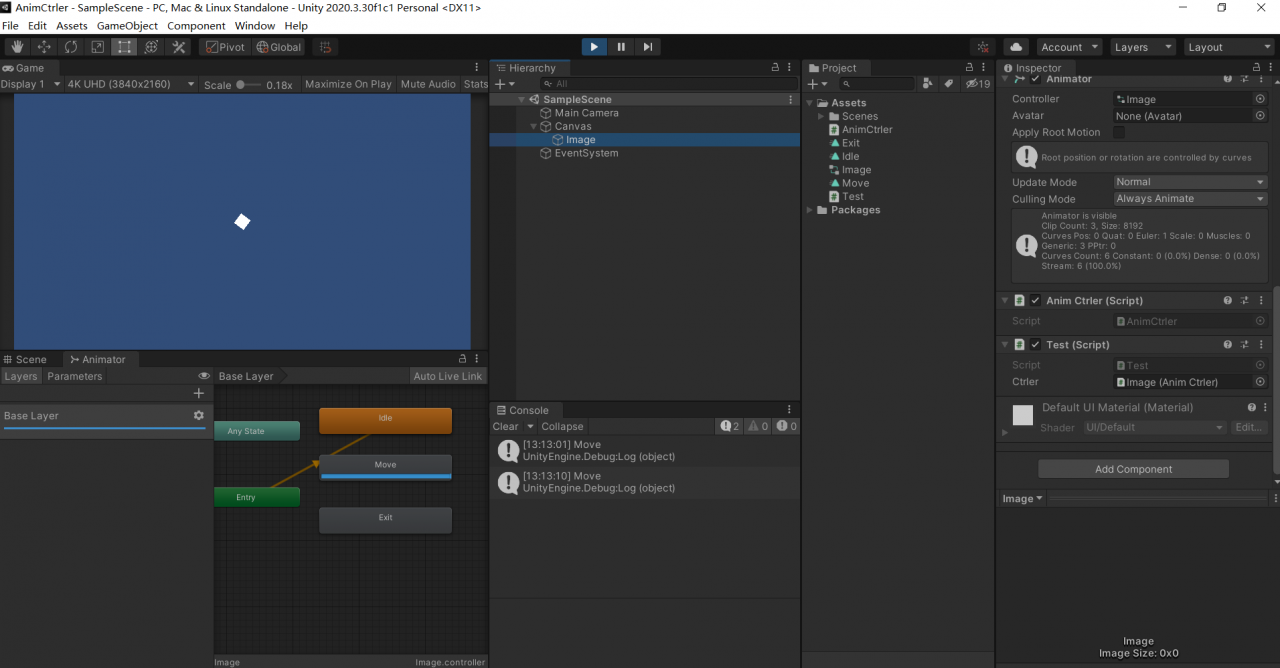
前言:我们无法监听Animator是否播放完一个动画,我所知的办法就是将监听方法设置为Public,并且挂在带有Animator的物体上,并且还要在Clip文件内新增AnimEvent。于是我自己写了一个AnimCtrler。
需求:开始动画、暂停动画、将动画停止在某一个状态、动画播放完成后执行回调。
思路:
1.播放动画就用Animator自带的API,Animator.Play即可;
2.停止动画,我想要Animator.speed为0达到效果;
3.停止在某一个状态,我们可以先播动画,播放在第一帧时马上暂停;
4.完成回调,使用AnimatorStateInfo.normalizedTime是否>=1f判定
实现:

using System.Collections;
using System.Collections.Generic;
using UnityEngine;
using System;

[RequireComponent(typeof(Animator))]
public class AnimCtrler : MonoBehaviour
{
    private Animator m_animator;
    private float m_speed;
    private string m_curAnimName;
    private bool m_clipEndAutoSetNull;
    private Dictionary<string, Action<string>> clipEndCallbacks;

    public float Speed
    {
        get => m_speed;
        set
        {
            m_speed = value;
            if (m_animator != null)
            {
                m_animator.speed = m_speed;
            }
        }
    }

    public string CurAnimName
    {
        get => m_curAnimName;
    }

    /// <summary>
    /// 回调执行后,是否会自动设置为空
    /// </summary>
    public bool ClipEndAutoSetNull
    {
        set => m_clipEndAutoSetNull = value;
    }

    private void Awake()
    {
        m_animator = GetComponent<Animator>();
        m_speed = 1f;
        m_animator.speed = m_speed;
        m_curAnimName = string.Empty;
        m_clipEndAutoSetNull = true;
        clipEndCallbacks = new Dictionary<string, Action<string>>();
    }

    public void Play(string animName, float speed = 1)
    {
        if (string.IsNullOrEmpty(animName))
            return;

        Speed = speed;
        m_animator.Play(animName, 0, 0);
        m_curAnimName = animName;
    }

    public void Stop()
    {
        Speed = 0f;
    }

    /// <summary>
    /// 将动画定格在这一瞬间
    /// </summary>
    /// <param name="animName"></param>
    /// <param name="progress"></param>
    public void SetAnimStartPose(string animName, float progress)
    {
        if (string.IsNullOrEmpty(animName))
            return;
        m_animator.Play(animName, 0, progress);
        m_animator.Update(0);
        Speed = 0f;
    }

    /// <summary>
    /// 设置动画结束的回调
    /// </summary>
    /// <param name="animName"></param>
    /// <param name="endCallback"></param>
    public void SetAnimEndCallback(string animName, Action<string> endCallback)
    {
        if (string.IsNullOrEmpty(animName))
            return;

        if (clipEndCallbacks.ContainsKey(animName))
        {
            clipEndCallbacks[animName] = endCallback;
        }
        else
        {
            clipEndCallbacks.Add(animName, endCallback);
        }
    }

    private void Update()
    {
        if (!string.IsNullOrEmpty(m_curAnimName))
        {
            AnimatorStateInfo info = m_animator.GetCurrentAnimatorStateInfo(0);
            if (info.IsName(m_curAnimName) && info.normalizedTime >= 1f)//如果动画为loop模式,则此代码会有bug
            {
                Action<string> callback = null;
                clipEndCallbacks.TryGetValue(m_curAnimName, out callback);
                callback?.Invoke(m_curAnimName);
                if (m_clipEndAutoSetNull)
                {
                    clipEndCallbacks[m_curAnimName] = null;
                }
            }
        }
    }
}
测试:
using System.Collections;
using System.Collections.Generic;
using UnityEngine;

public class Test : MonoBehaviour
{
    public AnimCtrler ctrler;
    public void Update()
    {
        if (Input.GetMouseButtonDown(0))
        {
            ctrler.ClipEndAutoSetNull = true;
            ctrler.SetAnimEndCallback("Move", (name) => Debug.Log(name));
            ctrler.Play("Move");
        }
        else if (Input.GetMouseButtonDown(1))
        {
            ctrler.SetAnimStartPose("Exit", 1);
        }
    }
}